Create_MyPortfolio_Page
My Portfolio
Project Description
This is my automatically generated portfolio, which fetches information about my repositories from GitLab and elegantly presents them on a website. The page is dynamically created based on the repository contents and additional Markdown files.
Screenshot:
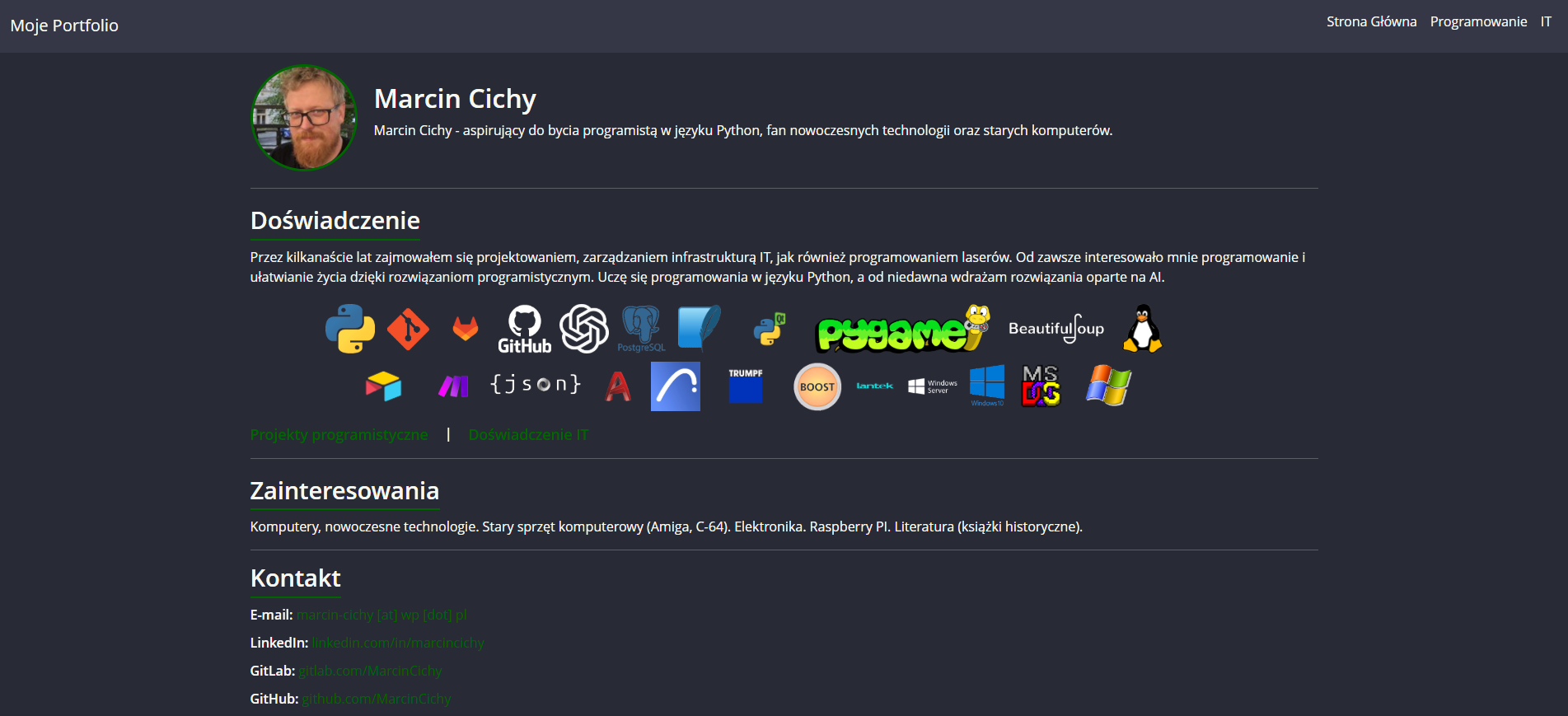
Technologies used in this project:
- Python (Jinja2, Requests, Markdown)
- HTML, CSS (Bootstrap + Dracula theme)
- GitLab CI/CD & GitHub Actions (for automatic building and deployment)
Website Preview
View my portfolio on GitLab Pages
View my portfolio on GitHub Pages
Project Structure
create_myportfolio_page/
│-- content/           # Markdown files with page content (e.g., construction.md, it.md)
│-- static/            # Static assets: CSS, images, logos
│-- templates/         # HTML templates (Jinja2)
│-- generate_portfolio.py   # Main script generating the website
│-- logos.json         # JSON file containing the list of logos
│-- .gitlab-ci.yml     # CI/CD configuration for GitLab Pages
│-- .github/workflows/deploy.yml # GitHub Actions configuration
│-- README.md          # Project documentation
How does the website generation work?
1.Fetching data from GitLab API – The generate_portfolio.py script retrieves a list of repositories.
2.Reading Markdown content – The script converts .md files into HTML.
3.Generating HTML files – Jinja2 processes templates and generates complete web pages.
4.Automatic deployment – The website is deployed to GitLab Pages and GitHub Pages using CI/CD.
Automatic Updates
The website automatically refreshes thanks to GitLab CI/CD and GitHub Actions:
- On GitLab: A new version is generated with every commit or through a scheduled task.
- On GitHub: The website updates on every push to main.